Features
Dj Urls Panel provides a comprehensive suite of tools for managing and testing Django URLs directly from the Django Admin interface.
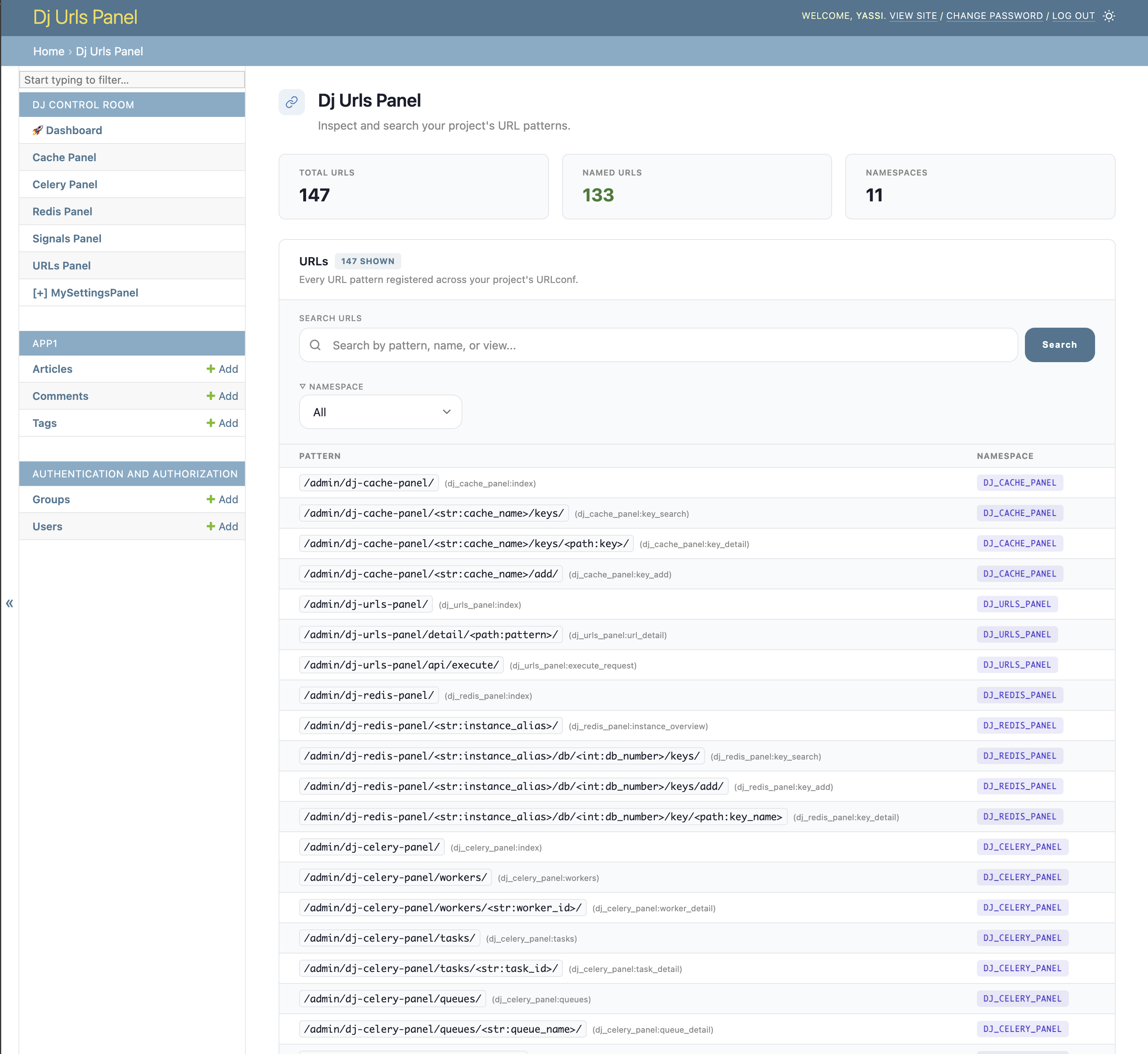
🎯 URL Visualization
View all Django URL patterns in an organized, searchable interface with detailed information about each endpoint.
Key Capabilities
- Browse all registered URL patterns
- Search and filter URLs by pattern, name, or view
- View URL namespaces and organization
- See HTTP methods supported by each endpoint
- Access URL metadata and reversal examples
🧪 Interactive Testing Interface
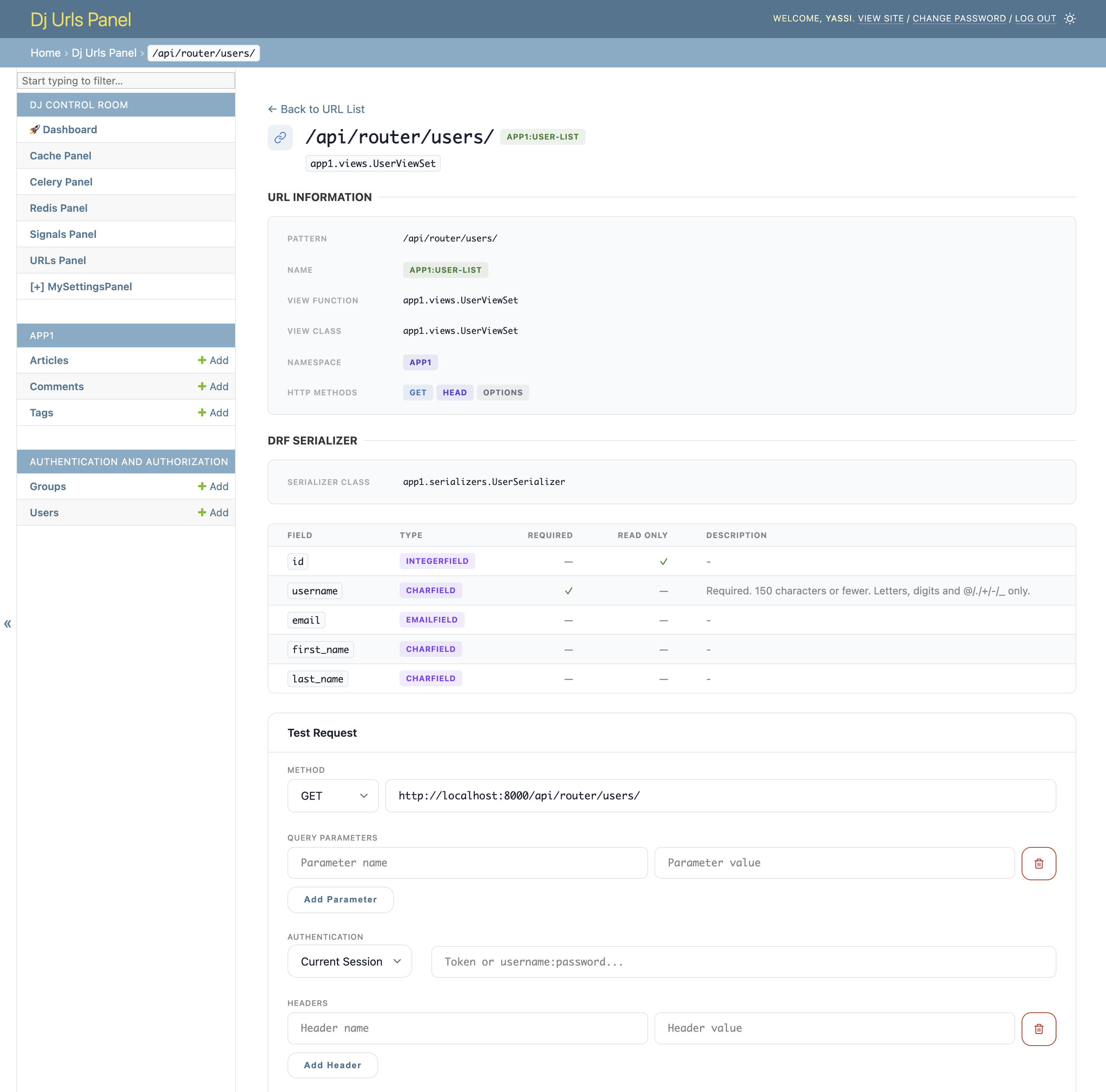
A Swagger-like interface for testing your URLs directly from the admin, without needing external tools like Postman or cURL.
Testing Capabilities
- HTTP Method Selection: Choose from GET, POST, PUT, PATCH, DELETE, HEAD, OPTIONS
- Dynamic URL Parameters: Automatically detect and fill URL parameters (e.g.,
<int:pk>,<uuid:id>) - Request Headers: Add custom headers for testing
- Authentication Support:
- Bearer Token
- Token Authentication
- Basic Auth
- Session Authentication (use current session or specify session ID)
- Request Body Editor: JSON formatting with syntax highlighting
- Real-time Response Display: View status codes, headers, and response body
- cURL Command Generation: Automatic generation with one-click copy
🔗 Django REST Framework Integration
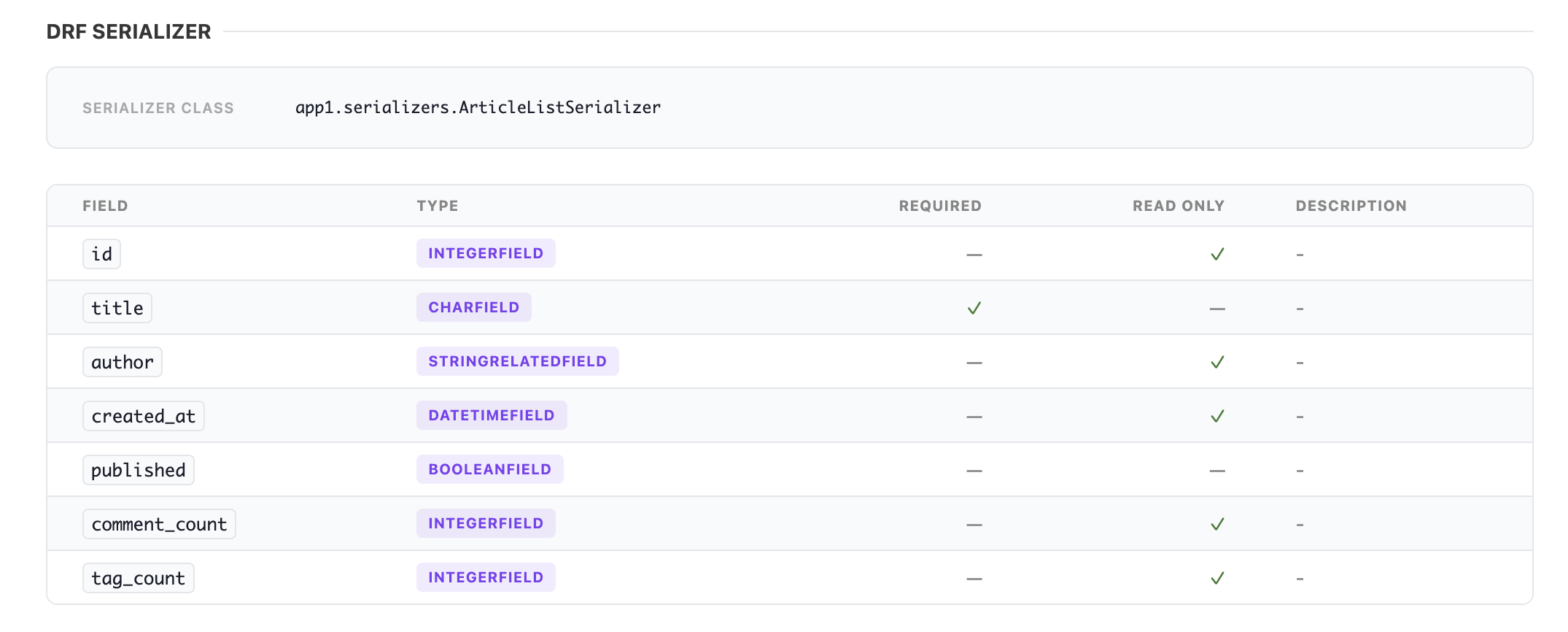
Automatic detection and visualization of DRF serializers, providing insights into your API structure.
DRF Features
- Automatic Serializer Detection: Identifies serializers from ViewSets and APIViews
- Field Information: Displays field names, types, and attributes
- Required Fields: Highlights required vs optional fields
- Read-Only Indicators: Shows which fields are read-only
- Help Text: Displays field help text and validation rules
🔒 Security Features
Built-in security measures to protect against Server-Side Request Forgery (SSRF) and other vulnerabilities.
Security Controls
SSRF Protection
Default blocklist prevents testing against dangerous internal targets:
- Localhost and loopback addresses (127.0.0.1, ::1)
- Private IP ranges (10.x.x.x, 172.16-31.x.x, 192.168.x.x)
- Link-local addresses (169.254.x.x - including cloud metadata endpoints)
- IPv6 private addresses
Host Whitelisting
Explicitly control which hosts can be tested:
When configured, ONLY whitelisted hosts are allowed.
Disable Testing Interface
Completely disable the testing interface for production:
When disabled, the testing interface is hidden and the execute endpoint returns 403.
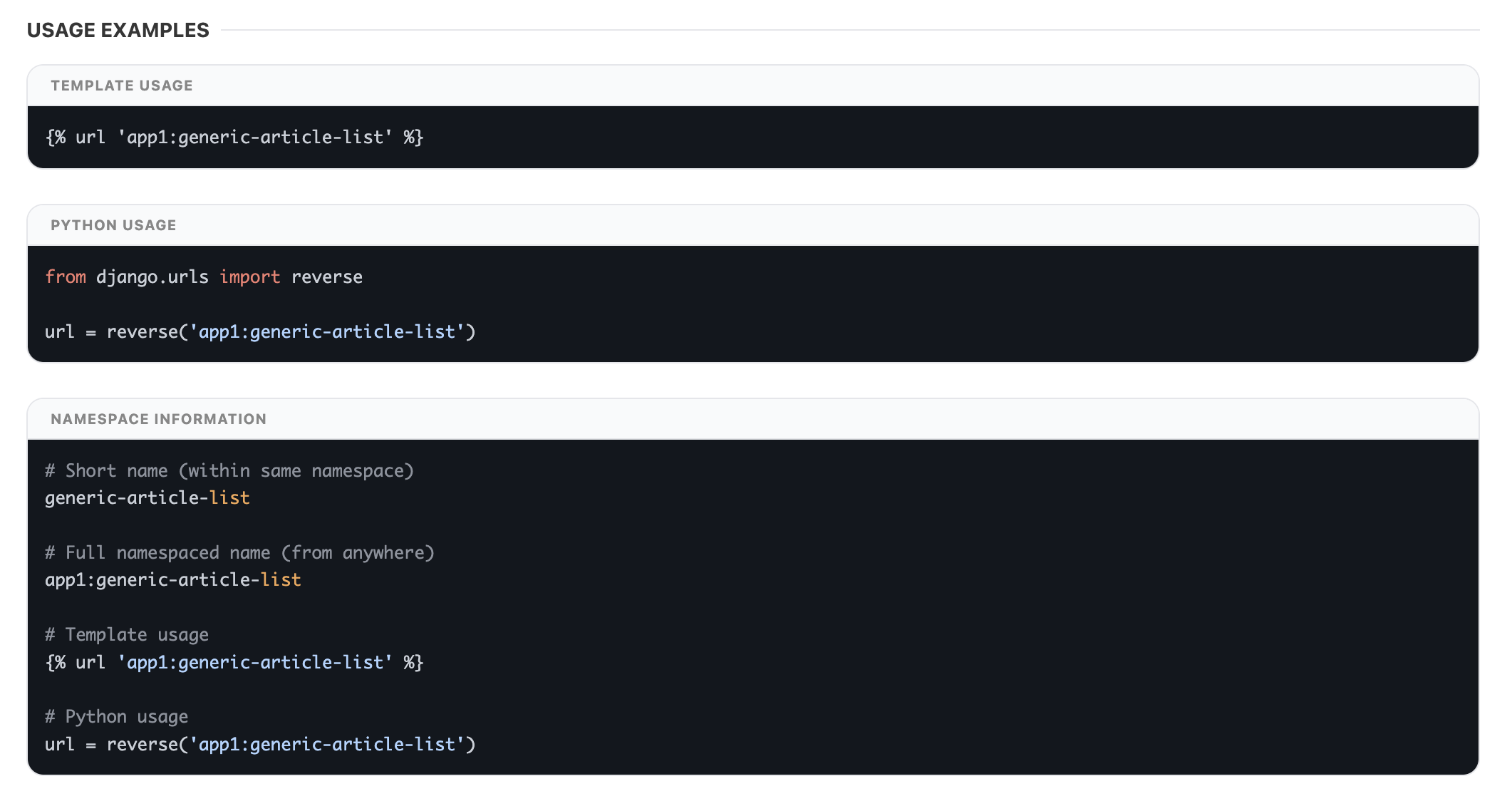
📋 URL Metadata & Usage Examples
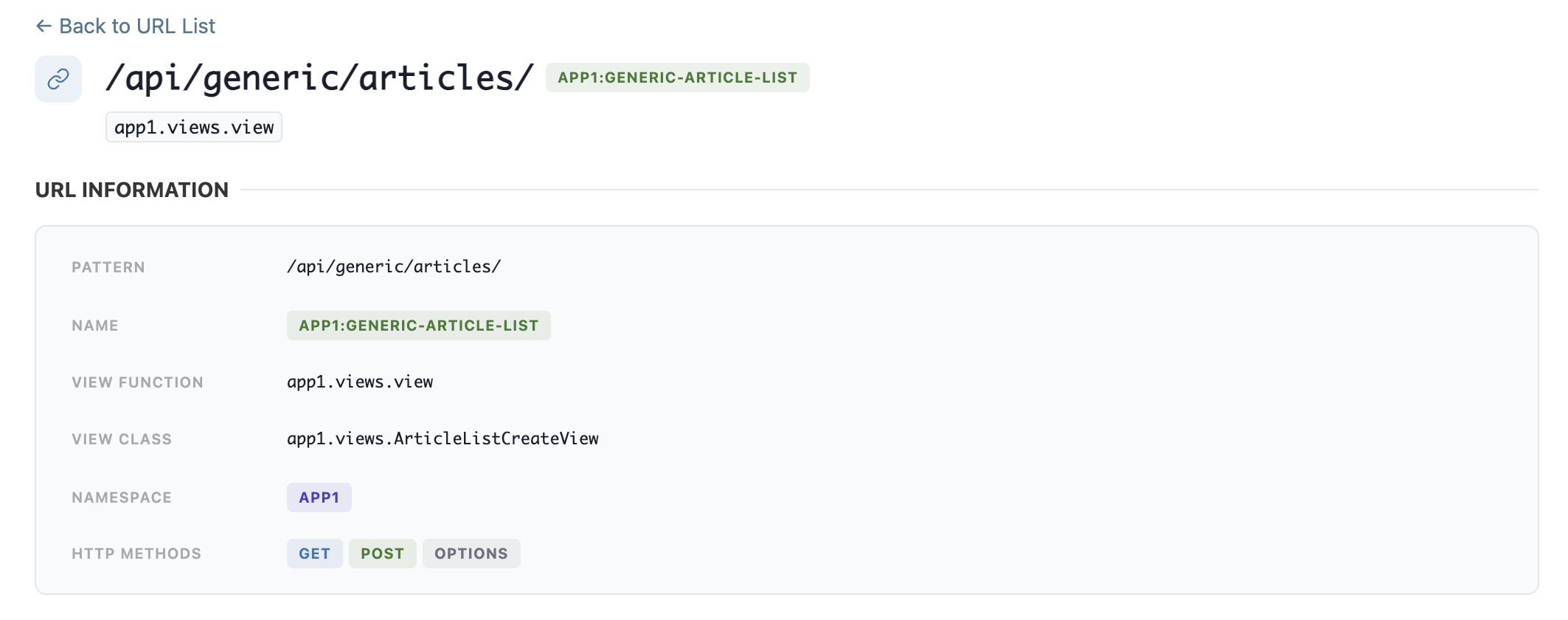
Get detailed information about each URL and learn how to use it in your code.
Metadata Information
- URL pattern and regex
- View function/class details
- URL name and namespace
- Supported HTTP methods
- URL parameters and types
Usage Examples
Code examples showing how to use URLs in your Django views:
reverse()function examples- Template URL tag examples
- Parameter handling examples
🤖 MCP Tools (AI Agent Integration)
Dj Urls Panel ships a dj_urls_panel/tools.py ToolRegistry of MCP-facing tools. When installed alongside dj-control-room with its MCP endpoint enabled, these tools are automatically aggregated and exposed so AI agents (Cursor, Claude, etc.) can introspect your project's URL routing.
Available Tools
| Tool | Description |
|---|---|
list_urls |
List every URL pattern, with its name, view, namespace, and allowed HTTP methods. Filter by namespace, query (substring match over pattern/name/view), and http_method. |
get_url_detail |
Full detail for a URL: view, view class, namespace, HTTP methods, URL parameters, and DRF serializer info (if any). Look up by exact name or pattern, or reverse-lookup by view (dotted path or bare name) to find every URL routed to it. |
inspect_view |
Resolve a view's dotted_path (e.g. api.views.ArticleViewSet) to its source file/line and any URL patterns currently routed to it, so an agent can jump straight to the view instead of grepping. |
Source Previews
By default, inspect_view only returns metadata (no source code). Enable a source preview in its results with:
DJ_URLS_PANEL_SETTINGS = {
    'SHOW_SOURCE': True,  # include a source code preview in inspect_view results
}
Permissions
Each tool ships under its own scope (agent_url_list, agent_url_detail, agent_inspect_view), distinct from the view scopes humans hit in the admin UI. This means agent access can be restricted (or opened up) independently of what staff can browse in the admin, via SCOPE_PERMISSIONS:
DJ_URLS_PANEL_SETTINGS = {
    'SCOPE_PERMISSIONS': {
        'agent_inspect_view': {'ALLOWED_GROUPS': ['ai-agents']},
    },
}
See Scopes for the full list of view and tool scopes, the dj-control-room-base Panel Tools guide for how panel tools are dispatched under the hood, and dj-control-room's MCP endpoint for connecting Cursor/Claude/other MCP clients.
⚙️ Configuration Options
Flexible configuration to adapt to your project needs.
URL Filtering
Exclude specific URL patterns from the panel:
DJ_URLS_PANEL_SETTINGS = {
    'EXCLUDE_URLS': [
        r'^admin/',      # Exclude admin URLs
        r'^__debug__/',  # Exclude debug toolbar
        r'^api/internal/',  # Exclude internal APIs
    ],
}
Custom URLconf
Use a different URLconf for the panel:
Useful for: - Displaying only API URLs - Testing different URL configurations - Separating documentation from main app
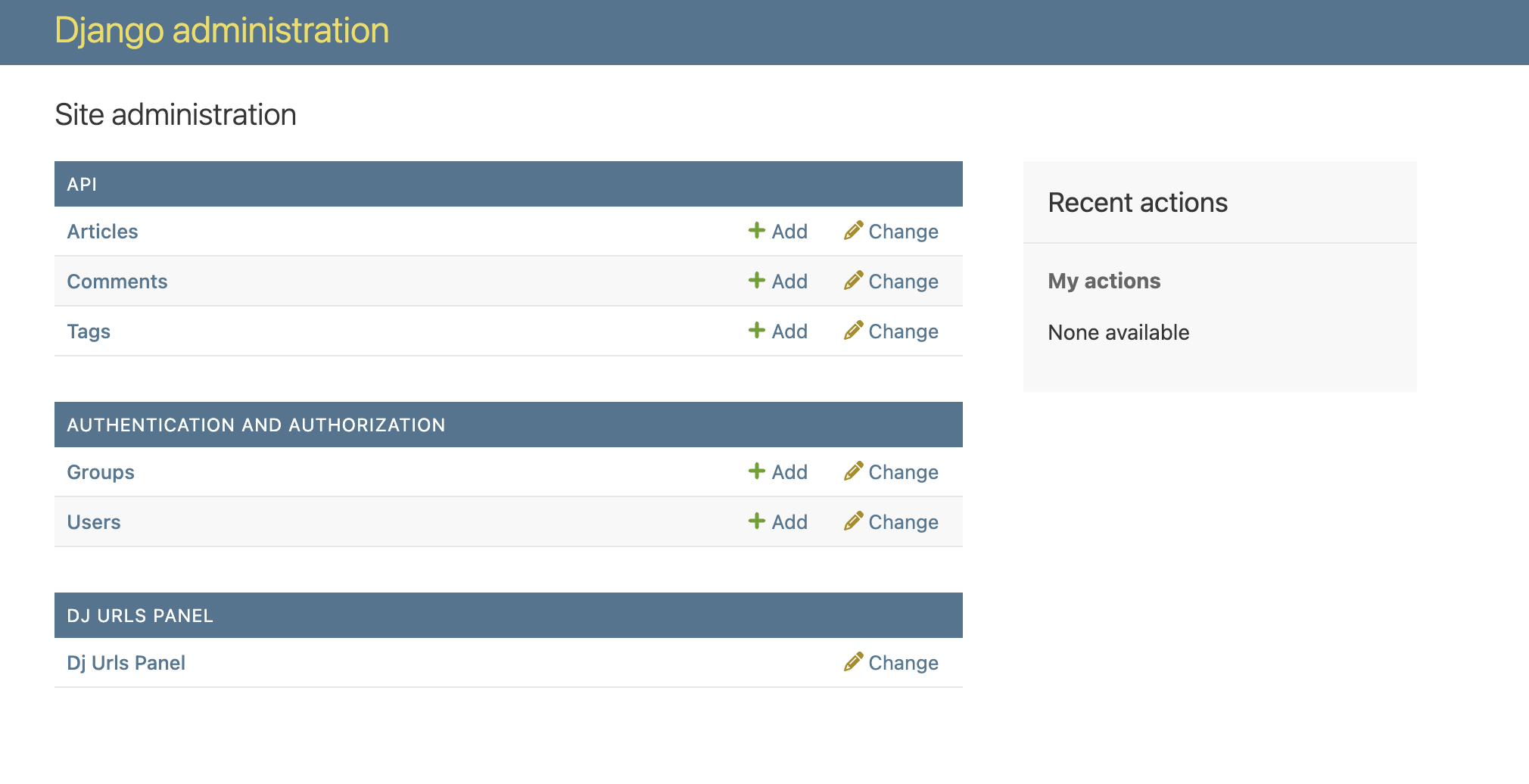
🎨 Admin Integration
Seamlessly integrated into the Django Admin interface with a familiar look and feel.
Features
- Appears alongside your Django models in the admin
- Uses Django admin styling for consistency
- No additional migrations or models required
- Works with custom admin themes
- Responsive design for mobile testing
🚀 Performance
- Minimal overhead - only loads when accessed
- Efficient URL pattern introspection
- No database queries required
- Fast search and filtering
- Lightweight request execution
📖 Next Steps
- Installation Guide - Get started in minutes
- Configuration - Customize for your needs
- Scopes - Lock down specific views or MCP tools
- Contributing - Contribute to the project