Django Control Room
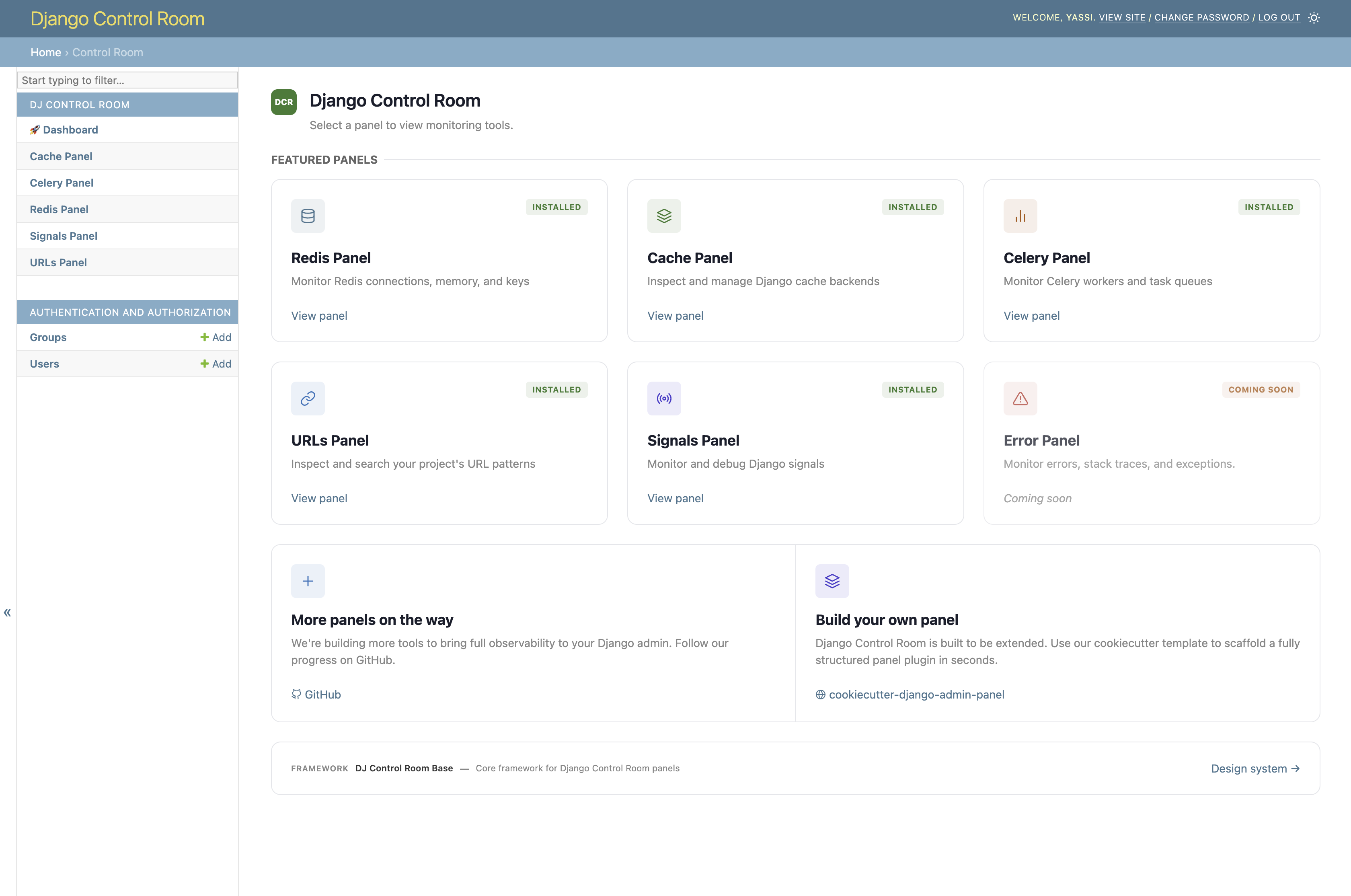
Django Control Room is a plugin framework for Django admin tools ("panels") and a suite of official panels for Redis, Celery, caches, URLs, Signals, and more. Panels are independent packages built on dj-control-room-base. The hub discovers them via entry points and renders them in one dashboard with shared CSS, permissions, and admin sidebar integration.
Official site: djangocontrolroom.com
Documentation
| Page | What you'll find |
|---|---|
| Installation | Install, INSTALLED_APPS (including dj_control_room_base), URLs |
| Configuration | Settings, sidebar behavior, CSS, MCP |
| Scopes | Permission scopes and access control |
| Theme Adapters | Supported admin skins, screenshots, DIY adapters |
| Creating Panels | Cookiecutter template and manual panel authoring |
| API Reference | Public API |
| Contributing | Local development setup |
Official panels
Quick start
# settings.py
INSTALLED_APPS = [
    # ...
    "dj_control_room_base",  # required core library
    "dj_redis_panel",
    "dj_cache_panel",
    "dj_urls_panel",
    "dj_control_room",  # list after panels so they appear in one section
]
# urls.py
urlpatterns = [
    path("admin/dj-redis-panel/", include("dj_redis_panel.urls")),
    path("admin/dj-cache-panel/", include("dj_cache_panel.urls")),
    path("admin/dj-urls-panel/", include("dj_urls_panel.urls")),
    path("admin/dj-control-room/", include("dj_control_room.urls")),
    path("admin/", admin.site.urls),
]
Visit http://localhost:8000/admin/dj-control-room/.
See Installation for the full walkthrough.
Requirements
- Python 3.9+
- Django 4.2+
Support
License
MIT. See LICENSE.
Credits
Created by Yasser Toruno