Theme Adapters
Django Control Room builds on dj-control-room-base, which ships theme adapters: small stylesheets that remap DCR --dcr-* design tokens onto the host admin skin's CSS variables so panels blend in with the rest of the admin.
Adapters live under dj_control_room_base/css/themes/. With the default THEME_AUTO_DETECT = True, the active skin is detected from INSTALLED_APPS and either a first-class adapter or a general light/dark pin is injected through the same pipeline as EXTRA_CSS. Turn it off to opt out and load an adapter manually:
DJ_CONTROL_ROOM_SETTINGS = {
    "THEME_AUTO_DETECT": True,  # default
    # Or opt out:
    # "THEME_AUTO_DETECT": False,
    # "EXTRA_CSS": ["dj_control_room_base/css/themes/unfold.css"],
}
See Configuration - Theme adapters for the settings reference. This page is a visual tour of what is currently supported.
Compatibility status
| Admin skin | INSTALLED_APPS label |
Status | Stylesheet |
|---|---|---|---|
| Classic Django admin | - | Built-in (no adapter needed) | - |
| django-unfold | unfold |
First-class adapter | themes/unfold.css |
| django-jazzmin | jazzmin |
First-class adapter | themes/jazzmin.css |
| django-grappelli | grappelli |
First-class adapter | themes/grappelli.css |
| django-admin-interface | admin_interface |
First-class adapter | themes/admin-interface.css |
| django-admin-dracula | django_admin_dracula |
First-class adapter | themes/dracula.css |
| django-simpleui | simpleui |
General light pin | themes/general-light.css |
| django-semantic-admin | semantic_admin |
General light pin | themes/general-light.css |
| django-admin-kubi | django_admin_kubi |
General light pin | themes/general-light.css |
| django-daisy | django_daisy |
General light pin | themes/general-light.css |
| django-jet-reboot | jet |
General light pin | themes/general-light.css |
| djangocms-admin-style | djangocms_admin_style |
General light pin | themes/general-light.css |
| bootstrap-admin | bootstrap_admin |
General light pin | themes/general-light.css |
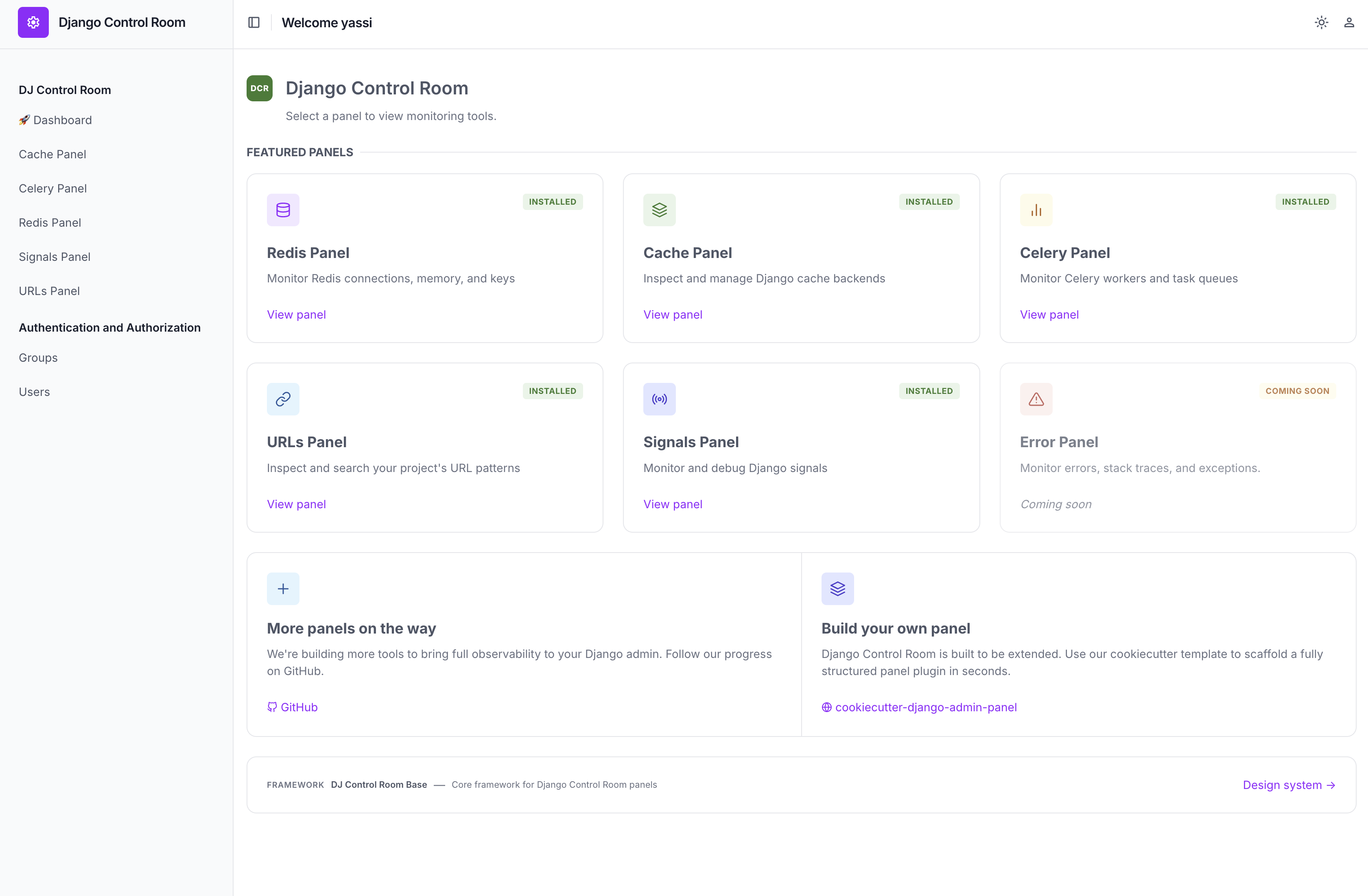
django-unfold
django-unfold themes are driven by --color-primary-*, --color-base-*, and --color-font-* CSS variables. themes/unfold.css remaps DCR accent, surface, border, and muted-text tokens onto those variables, including light and dark mode.
django-jazzmin
django-jazzmin is built on Bootstrap 5 and ships Bootswatch skins via JAZZMIN_UI_TWEAKS["theme"]. themes/jazzmin.css maps DCR tokens onto Bootstrap CSS variables so panels track the active Jazzmin theme, including dark skins.
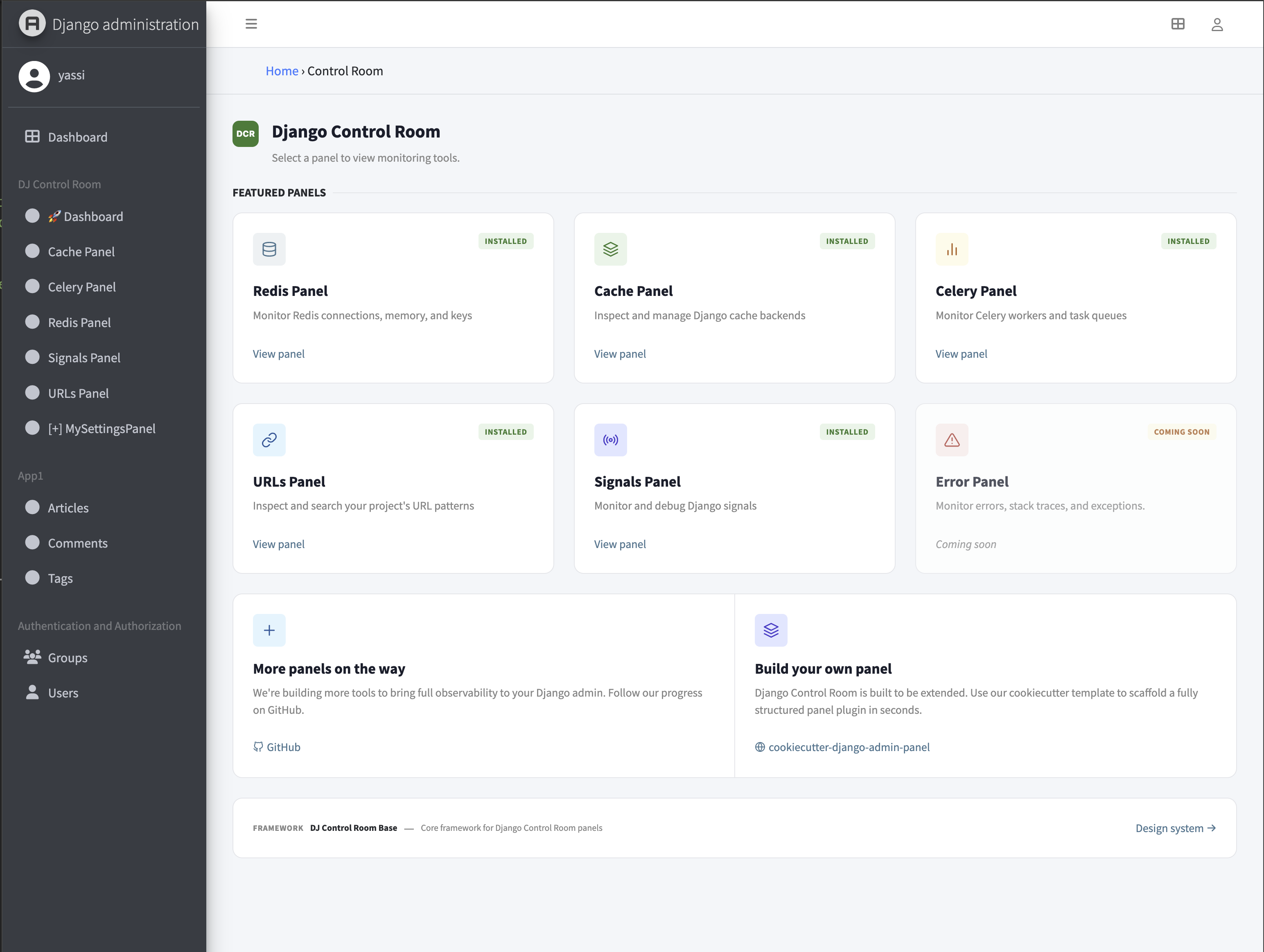
| Light themes | Dark themes |
|---|---|
cerulean, cosmo, flatly, journal, litera, lumen, lux, materia, minty, pulse, sandstone, simplex, sketchy, spacelab, united, yeti |
cyborg, darkly, slate, solar, superhero |
See Jazzmin's ui_customisation docs for the full list.
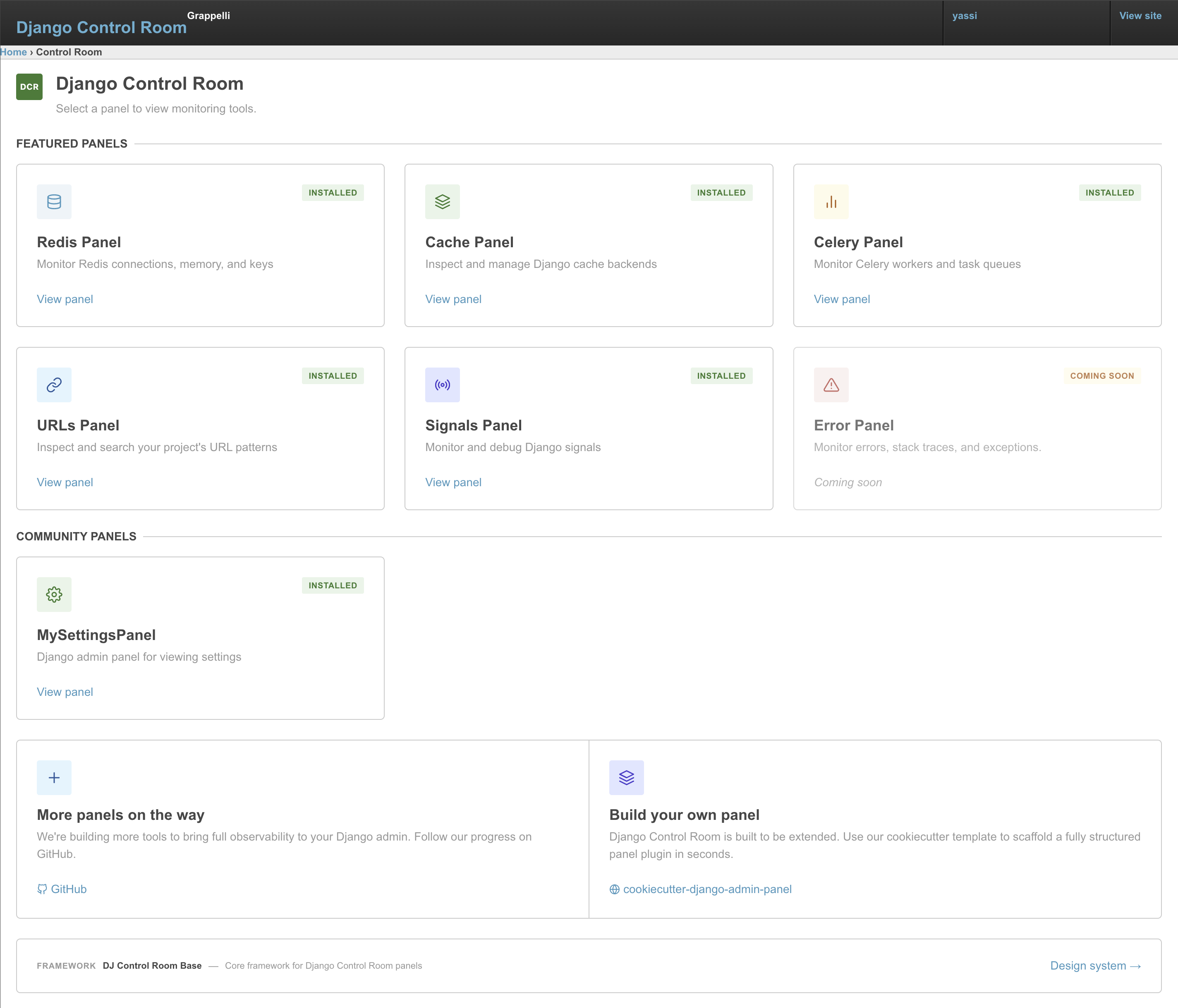
django-grappelli
django-grappelli support via themes/grappelli.css, matching its teal accent and light-only look.
django-admin-interface
django-admin-interface support via themes/admin-interface.css.
DJ_CONTROL_ROOM_SETTINGS = {
    "EXTRA_CSS": ["dj_control_room_base/css/themes/admin-interface.css"],
}
django-admin-dracula
django-admin-dracula overrides Django admin CSS with the Dracula palette and supports light / dark / auto via Django's data-theme toggle. themes/dracula.css remaps DCR tokens onto Dracula's variables so panels track both modes.
General light and dark pins (unsupported skins)
Skins without a first-class adapter get a pinned palette when auto-detect finds them first in INSTALLED_APPS:
themes/general-light.cssfor light-chrome skins (for example django-simpleui or django-semantic-admin)themes/general-dark.cssfor dark-chrome skins
These pins keep panel surfaces aligned with the host chrome; they do not attempt brand remapping.
DJ_CONTROL_ROOM_SETTINGS = {
    "EXTRA_CSS": ["dj_control_room_base/css/themes/general-light.css"],
    # Or:
    # "EXTRA_CSS": ["dj_control_room_base/css/themes/general-dark.css"],
}
See Configuration - Theme adapters for the recognized app labels.
Build your own
Want to support another admin skin? Use unfold.css, jazzmin.css, grappelli.css, admin-interface.css, or dracula.css as a starting point and remap the --dcr-* tokens to match. Until then, a general light or dark pin keeps panels readable under that skin.
For more detail on how adapters are authored, see the dj-control-room-base themes docs.